
Skip to content
April 21, 2026
  • One Device to Replace All Toll Gates: The End of FASTag Era
  • Spend Rs 3 per day and be free from online fraudsters
  • Amazon Great India Sale 2023: Unveiling Kickstart Deals You Can’t-Miss!
  • Income Tax Refund – Important Update, Income Tax Department Seeks Response from Taxpayers
Newsletter
Random News
logo

The Informal News

  • Home
  • World
  • NewsNews
    • Tech Newstechnology news
  • FinanceFinance News
  • HealthHealth, Tips for a Healthy life, Daily Health Tips
  • CelebrityCelebrity News
  • Job UpdatesJob Updates
  • Sports
    • Cricket
  • Home
  • Featured
  • SBI customers! You can transfer the savings account to another branch sitting at home
  • Featured
  • Finance
  • News

SBI customers! You can transfer the savings account to another branch sitting at home

theinformalnews5 years ago5 years ago13 mins
SBI Customers

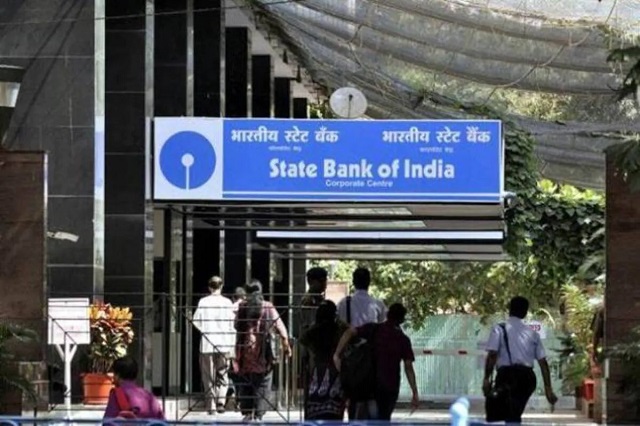
SBI customers: The country’s largest lender, State Bank of India (SBI), has eliminated the need to go to the branch for another important work amid increasing cases of coronavirus every day. Actually, SBI has given the facility to customers to transfer their savings account (online transfer) from one branch to another branch. If you understand in easy words, now you will not need to go to any branch of the bank to get your savings to account transferred. You can transfer the account to any branch sitting at home through YONO SBI, YONO Lite, and the website of the bank. 

To transfer a savings account to another branch, do this

>> Login on the official website of SBI www.onlinesbi.com. Choose the option of personal banking with your username and password.

>> Go to e-services on the top menu bar and click on Transfer of savings account. Then choose the account you want to transfer.
>> If you have only one bank account and it is in your customer information file (CIF) then it will be automatically selected.

>> Now you have to enter the code of the branch in which you want to transfer the account. Read the terms and conditions and click on submit.

>> Verify all the details of transfer of your account with existing branch code and new branch code. After this click on confirm.

Also, Read This: SBI Bank Alert! Do not do these 5 Mistakes otherwise, your bank account will be empty in minutes

>> After you confirm, an OTP will be sent to your registered mobile number. Confirm by entering OTP. >> Now a message will appear in which your request for branch transfer has been registered successfully.

Customers have to keep in mind that online processing can be done only if your mobile number is registered with the bank. Apart from the website, the account can also be transferred using the YONO SBI, YONO Lite app.

Post Views: 888
Tagged: Savings Account SBI customers the informal news theinformalnews transfer

Post navigation

Previous: BNP Recruitment 2021: Recruitment of 131 posts in Bank Note Press, see details
Next: Covid 19: Google’s new feature will update on the bed and oxygen availability, will work like this

One thought on “SBI customers! You can transfer the savings account to another branch sitting at home”

  1. S subbaraju says:
    May 13, 2021 at 9:15 pm

    Please requsted sir madam I am from India at Tamilnadu my name registered by India Today EDUCATION knowledge thanks

    Reply

Leave a Reply Cancel reply

Your email address will not be published. Required fields are marked *

Related News

Walking on National Highways

One Device to Replace All Toll Gates: The End of FASTag Era

theinformalnews2 years ago2 years ago 0
cyber-alert

Spend Rs 3 per day and be free from online fraudsters

theinformalnews2 years ago2 years ago 0
  • One Device to Replace All Toll Gates: The End of FASTag Era
  • Spend Rs 3 per day and be free from online fraudsters
  • Amazon Great India Sale 2023: Unveiling Kickstart Deals You Can’t-Miss!
  • Income Tax Refund – Important Update, Income Tax Department Seeks Response from Taxpayers
  • Amazon Great Indian Festival 2023: Get Ready for the Ultimate Shopping Extravaganza!
The Informal News updates you with the latest News Headlines, Cricket, Politics, Celebrity, Technology, Finance, Health & Job alerts 2026. Powered By BlazeThemes.
  • Home
  • Privacy Policy
  • Disclaimer
  • Terms Of Use